
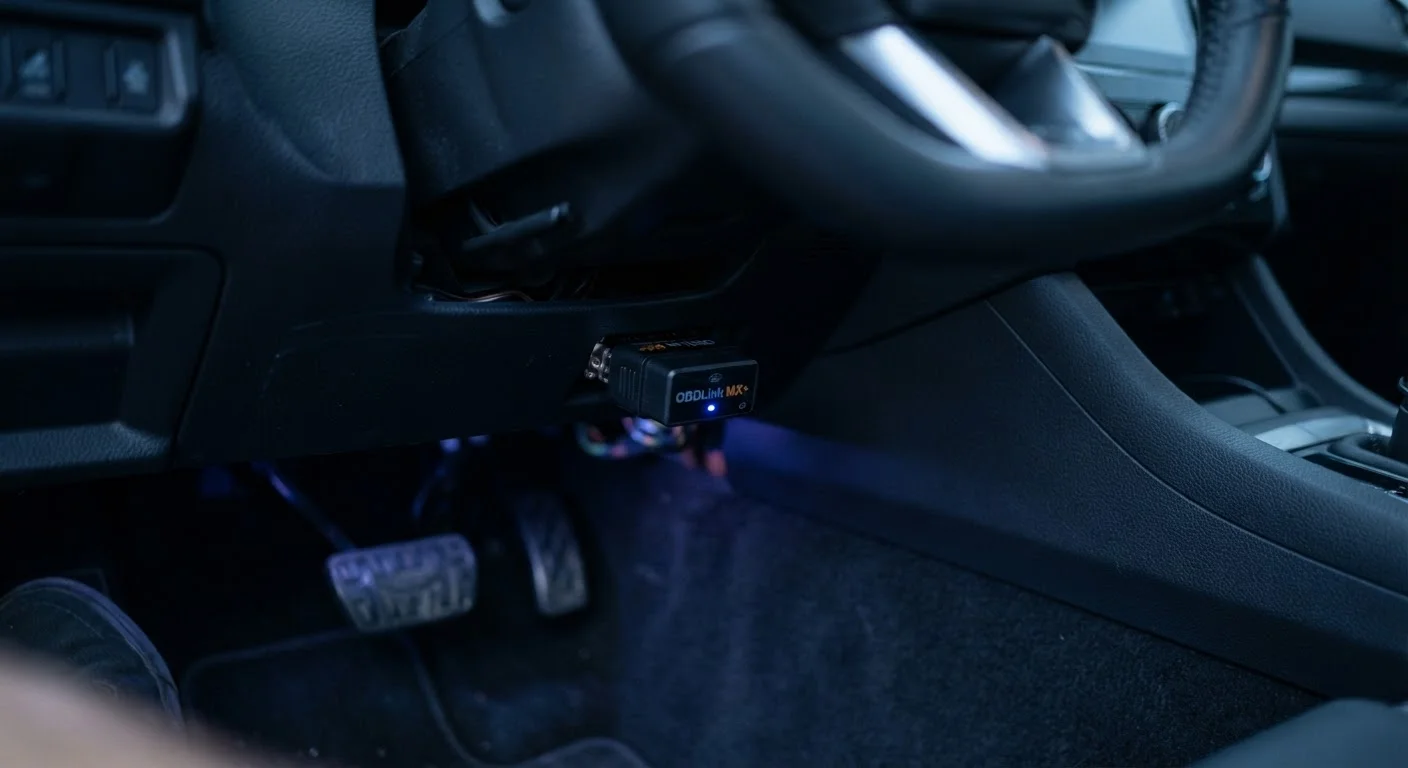
What the OBD-II Port Actually Does
Your car is constantly running self-diagnostic checks across dozens of electronic systems - engine, transmission, emissions controls, and more. The OBD-II port is the gateway through which all that internal data becomes accessible to the outside world. A scan tool or compatible adapter plugs into the port and reads the information flowing from the vehicle's Engine Control Module (ECM) and other onboard computers.
Before OBD-II was federally mandated, diagnostic systems varied by manufacturer, making it difficult for independent mechanics and owners to access fault data without proprietary equipment. The standardized OBD-II system changed that, creating a universal language for vehicle diagnostics across virtually all makes and models sold in the U.S. after 1996.
Dashboard warning lights are often the first sign something has been logged - and the OBD-II port is where you find out exactly what triggered them.
The Types of Data OBD-II Delivers
OBD-II data falls into several practical categories that drivers and technicians both rely on:
- Diagnostic Trouble Codes (DTCs): Standardized fault codes that identify specific system failures. A P0420 code, for example, points to catalyst efficiency below threshold - a catalytic converter issue.
- Freeze Frame Data: A snapshot of sensor readings captured at the exact moment a fault was logged. This helps pinpoint conditions that triggered the problem.
- Live Sensor Data (PIDs): Real-time streams of parameters like engine RPM, coolant temperature, fuel trim, oxygen sensor voltage, and vehicle speed.
- Readiness Monitors: Status flags showing whether the vehicle's self-test routines have completed - critical information for passing state emissions inspections.
- Emissions Data: Oxygen sensor performance, evaporative system integrity, and exhaust gas recirculation status are all monitored and accessible here.
1996
Year OBD-II compliance became mandatory in the U.S.
The EPA required all new passenger cars and light trucks sold in the United States to include a standardized OBD-II port starting with the 1996 model year.
~11,000
Standardized diagnostic trouble codes defined
The SAE and ISO standards bodies define thousands of generic and manufacturer-specific DTCs accessible through the OBD-II protocol, covering systems from powertrain to body electronics.
16-pin
Connector pins on every OBD-II port
The SAE J1962 standard specifies the 16-pin (J1962) connector shape used universally across OBD-II compliant vehicles, ensuring any compliant tool fits any compliant vehicle.
Understanding which category your data falls into helps you ask better questions - whether you're talking to a mechanic or researching the fault yourself.
Tools Everyday Drivers Can Use
Reading OBD-II data no longer requires expensive professional equipment. Three main options are available to consumers:
- Handheld scan tools: Dedicated devices that plug directly into the port and display codes on a built-in screen. These range from basic code readers to advanced units with live data graphing.
- Bluetooth and Wi-Fi adapters: Small dongles that pair with smartphone apps, turning your phone into a display. Many apps offer free basic code reading with paid upgrades for deeper data.
- Professional-grade scanners: Used by repair shops, these offer bidirectional control - not just reading data, but commanding systems to run specific tests. Generally not necessary for routine owner use.
Unplug Adapters When Not in Use
Bluetooth and Wi-Fi OBD-II adapters draw a small but continuous current from your vehicle even when the ignition is off. Over days or weeks, this can contribute to battery drain. Unplug any adapter you're not actively monitoring, and only use devices from reputable sources to minimize security exposure.
Whatever tool you choose, look up any retrieved code in a reliable database before drawing conclusions. A single code often has multiple possible causes, and context from freeze frame data matters significantly.
OBD-II, Telematics, and Your Privacy
The same port that helps diagnose engine faults is also the access point for insurance telematics programs. Insurers offer plug-in dongles that collect driving behavior data - hard braking events, speed patterns, mileage, and time of day - in exchange for potential premium adjustments. Participation is always voluntary, but it's worth understanding what you're sharing before opting in.
For a deeper look at how that data flows and what it means for your rates, see our piece on what vehicle telematics actually collects.
Security is also a consideration. Third-party adapters left permanently plugged in can introduce vulnerabilities. Our guide to keeping your in-car tech secure covers practical steps for protecting your vehicle's connected systems.
Clearing Codes Has Consequences
Using a scan tool to erase Diagnostic Trouble Codes will turn off the check engine light temporarily, but it also resets readiness monitors. If your state uses an OBD-II readiness check as part of its emissions inspection - which many do - a recently cleared system may not have enough drive cycles completed to pass. Always address the root cause before clearing codes.
Finally, if your OBD-II data reveals a TPMS-related code, understanding how TPMS works will help you interpret what's actually going on with your tires.