
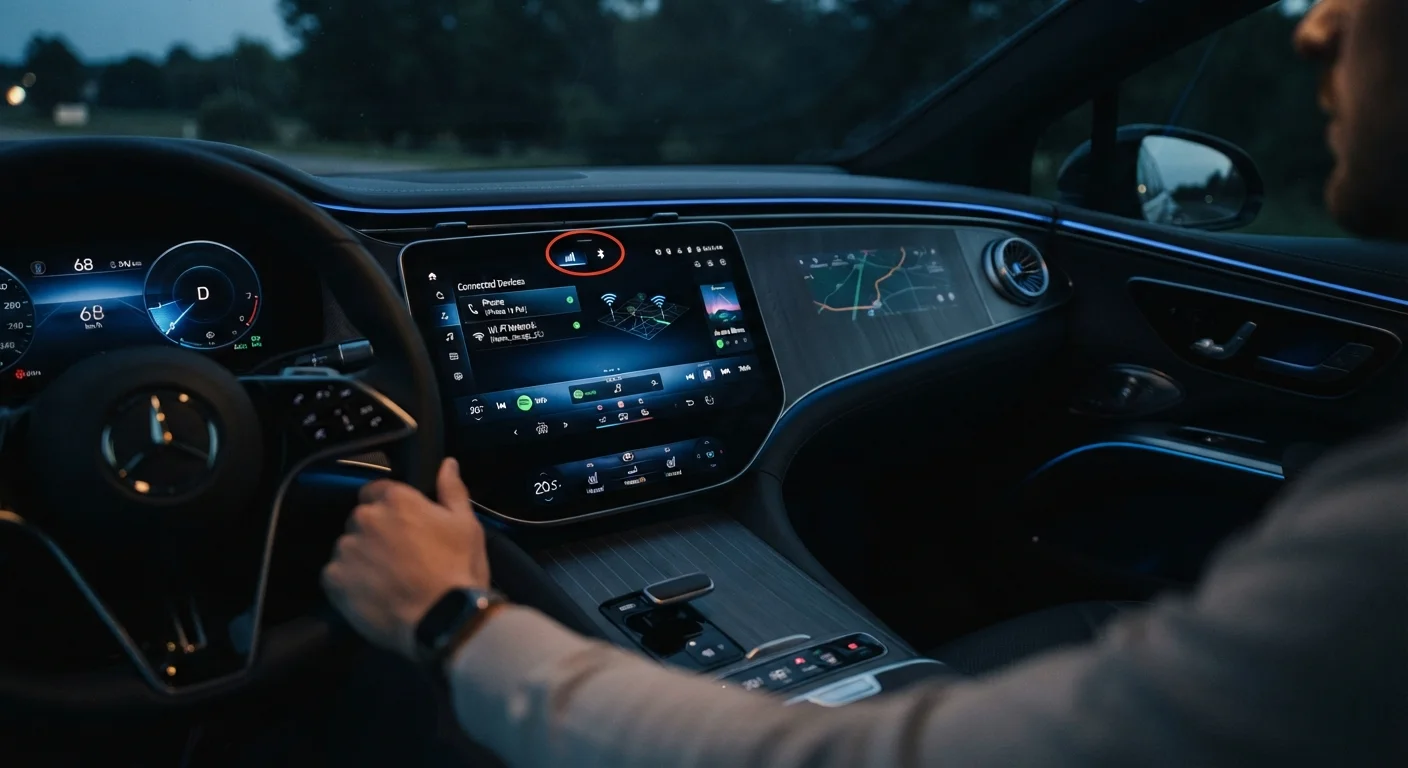
Your Car Is Now a Connected Device
Modern vehicles are no longer simply mechanical machines. They run on layered software platforms, connect to smartphones via Android Auto and Apple CarPlay, broadcast over Bluetooth and Wi-Fi, and in many cases communicate with manufacturer servers via cellular networks. That connectivity is genuinely useful - but it also means your car inherits a category of risk that drivers a generation ago never had to consider.
Security researchers have demonstrated that vulnerabilities in infotainment systems, telematics units, and wireless interfaces can be exploited to access personal data, and in some documented cases, to interact with vehicle controls. This isn't cause for alarm, but it is cause for practical awareness. The habits below reflect guidance from cybersecurity professionals and automotive technology researchers, and can be applied by any driver regardless of technical background.
Recommended Security Practices for Connected Vehicles
Think of these practices the same way you'd think about routine vehicle maintenance - small, consistent habits that prevent larger problems later.
Install vehicle software and infotainment updates promptly when available.
Automakers issue over-the-air (OTA) updates and dealer-applied patches specifically to address known security vulnerabilities - not just to add new features. Delaying updates leaves your vehicle exposed to weaknesses that manufacturers have already identified and fixed. Many modern vehicles notify you directly through the infotainment screen when an update is ready.
Audit and remove Bluetooth paired devices regularly.
Every device paired to your car's Bluetooth system represents a potential connection point. Rental vehicles, service loaner cars, and even older paired phones of family members can remain in the list indefinitely. Unused pairings don't just clutter the interface - they can allow reconnection without your active awareness. Learn how Bluetooth versions affect connection behavior in your specific system.
Treat your vehicle's Wi-Fi hotspot like any home network.
Many vehicles now offer built-in Wi-Fi hotspots. Using a weak or default password, or leaving the hotspot open when parked in public, exposes your vehicle's network to unauthorized users who could potentially intercept data transmitted by connected devices.
Be selective about which apps and services you authorize through your vehicle's connected platform.
Connected vehicle platforms often allow third-party app integrations and manufacturer account logins. Each authorization grants that service some level of access to your vehicle data or account. Review authorized apps periodically and revoke access for services you no longer use.
Use caution with public USB charging ports inside your vehicle.
When passengers use your vehicle's USB ports to charge their devices, a technique sometimes called 'juice jacking' - where malicious devices attempt data transfer during charging - is a documented, if uncommon, concern. This risk is higher in shared or commercial vehicles than personal ones, but awareness is still worthwhile.
Quick Actions You Can Take Today
You don't need to be a cybersecurity expert to meaningfully reduce your exposure. These immediate steps cover the most common and accessible vulnerabilities for everyday drivers.
Use Your Owner's Manual as a Security Resource
Your vehicle's owner's manual and the automaker's official support pages are the most reliable sources for privacy and data reset procedures specific to your system. Procedures vary significantly between manufacturers and model years - generic online instructions may not apply to your vehicle. When in doubt, contact your dealership's service department for guidance.
Data You Might Not Know Your Car Collects
Beyond Bluetooth and Wi-Fi, many vehicles generate and transmit detailed data about driving behavior, location history, and connected device identifiers. Understanding what's collected is the first step to managing it. Our explainer on what vehicle telematics actually collects goes deeper on this topic.
Connected Services Vary Widely by Manufacturer
The data your vehicle collects and transmits depends heavily on your automaker, your trim level, and which connected service subscriptions are active. Some manufacturers allow granular control over data sharing in their mobile apps or owner portals; others offer limited opt-out options. Review your connected services agreement and privacy settings directly within your automaker's official platform to understand what applies to your specific vehicle.
If you use an OBD-II dongle plugged into your dashboard port - for diagnostics or insurance programs - be aware that some third-party devices have been shown to have weak security implementations. Our guide to what your OBD-II port can tell you explains how that interface works and what to watch for. Similarly, if you're considering GPS trackers for your vehicle, weigh the privacy implications carefully before installation.
268%
Rise in automotive cyber incidents over four years
According to Upstream Security's annual automotive cybersecurity report, automotive cyber incidents increased dramatically between 2018 and 2022, reflecting the rapid growth of vehicle connectivity.
~90%
New vehicles with connected features in the US
Industry analysts estimate that the vast majority of new vehicles sold in the United States now include some form of internet or cellular connectivity built into the platform.
Before You Sell, Trade, or Lend Your Vehicle
One of the most overlooked security moments in car ownership happens at the point of sale or transfer. Infotainment systems store a surprising amount of personal data: saved home and work addresses, paired phone contact lists synced via Bluetooth, Wi-Fi network passwords, and account credentials for streaming or navigation services. Failing to clear this data is functionally equivalent to handing a stranger access to those accounts.
Before any ownership change, use your vehicle's factory reset or privacy menu - typically found under Settings in the infotainment system - to wipe stored data. Consult your owner's manual for the correct procedure, as the steps vary by make and system. The same principle applies when lending your car to someone outside your household for an extended period, particularly if your vehicle uses a mobile app for remote access.
For drivers adding aftermarket technology, our checklist for adding an aftermarket screen also covers some compatibility and security considerations worth reviewing before installation.
“Vehicles are increasingly software-defined systems, and the security practices that apply to any internet-connected device - keeping software current, managing access, being intentional about what you connect - apply equally to your car.”
— Charlie Miller, Automotive cybersecurity researcher and co-author of foundational connected vehicle vulnerability research