
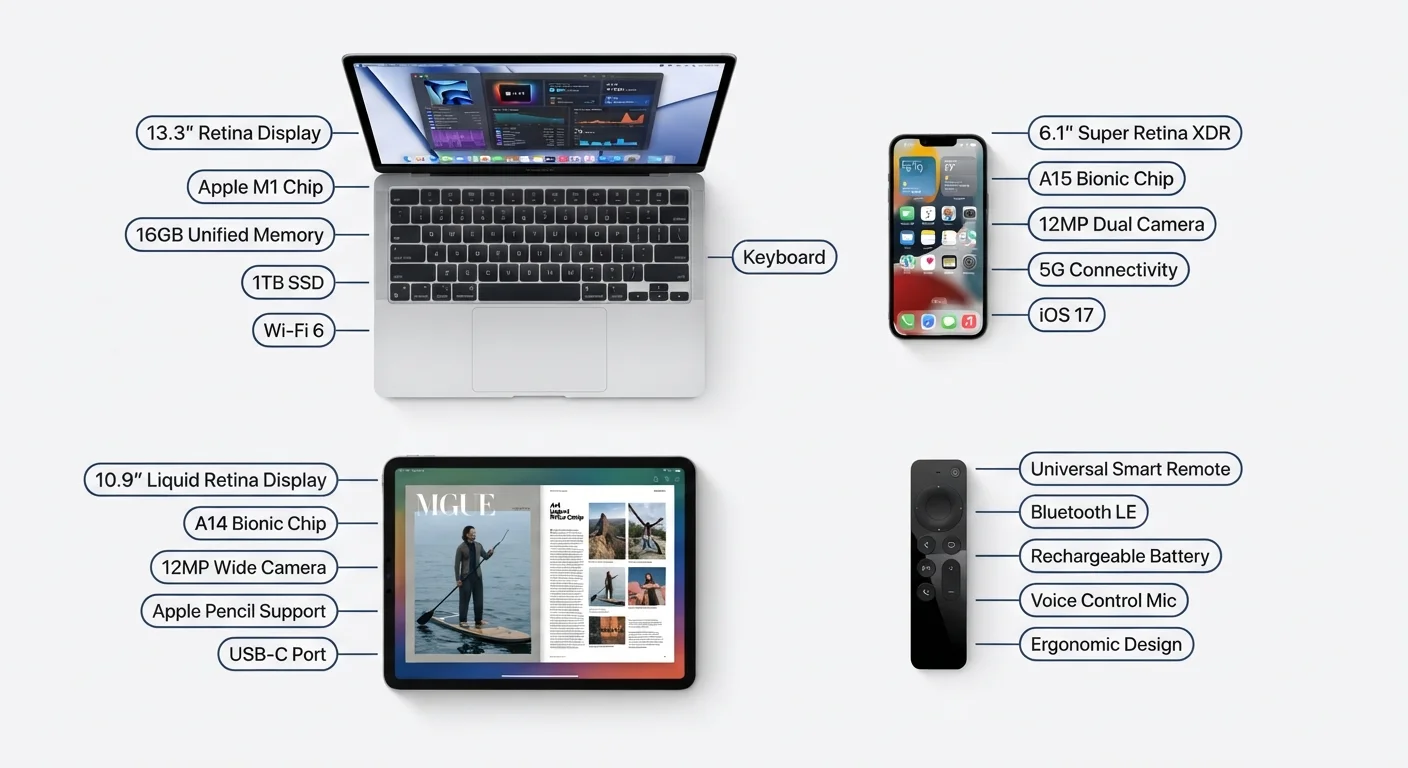
Why Electronics Specs Feel So Confusing
Spec sheets are written for comparison purposes, not for understanding. They pack in numbers — 120 Hz, 50 MP, 65 W — with no context for what those figures mean in everyday use. The result is that most shoppers either ignore specs entirely or fixate on whichever number is biggest.
Neither approach serves you well. This glossary cuts through the noise by defining the terms you'll encounter most often across televisions, smartphones, laptops, cameras, and audio gear. You don't need an engineering background — you just need a plain-English translation.
For a broader introduction to how core device systems work, see Electronics for the Genuinely Non-Technical Person. And if you've run into advice about device care that didn't quite add up, Electronics Myths That Keep Costing People Money is worth a read too.
Specs Are Starting Points, Not Conclusions
A single number rarely tells the whole story. A camera with 108 megapixels can still produce worse photos than one with 12 megapixels if the lens or sensor size is inferior. Use specs to narrow your options and compare like-for-like — not as absolute rankings of quality.
When Specs Don't Match Your Use Case
Manufacturers optimize devices for different scenarios. A 120 Hz display benefits gamers and heavy scrollers but may offer no noticeable advantage for someone who reads documents. Before weighing a spec heavily, ask whether your typical use would actually activate that feature.
Core Terms Defined
The glossary below covers the most common specs you'll see across consumer electronics categories. Each definition explains the unit, what it measures, and when it actually matters.
Hertz (Hz)
A unit measuring cycles per second. In displays, it refers to how many times the screen refreshes each second (refresh rate). In audio and processors, it measures signal frequency or clock speed.
Megapixel (MP)
One million pixels. Used to describe camera sensor resolution — the higher the number, the more detail the sensor can theoretically capture, though image quality depends on many other factors too.
Watt (W)
A unit of power — the rate at which energy is used or transferred. On chargers and speakers, higher wattage generally means faster charging or louder potential output, respectively.
Refresh Rate
How many times per second a display redraws its image, measured in Hz. A 60 Hz display refreshes 60 times per second; 120 Hz feels noticeably smoother for scrolling and video.
Latency
The delay between an input or signal and the response you see or hear. Lower latency is almost always better, especially for gaming, video calls, and wireless audio.
Bandwidth
The maximum amount of data a connection can carry at once, usually measured in Mbps or Gbps. More bandwidth supports faster data transfers and more simultaneous users.
RAM
Random Access Memory — the short-term working memory your device uses for tasks currently running. More RAM generally allows more apps to stay open simultaneously without slowdowns.
Storage (GB/TB)
Long-term space for your files, apps, and media. A gigabyte (GB) holds roughly 250 photos at typical smartphone quality; a terabyte (TB) equals 1,000 GB.
Decibel (dB)
A logarithmic unit measuring sound intensity. In speakers it describes volume potential; in noise-canceling headphones or vacuums, lower dB ratings indicate quieter operation.
Codec
Software that encodes and decodes audio or video data. Wireless headphones use audio codecs like AAC or aptX to compress and transmit sound; the codec affects audio quality and latency.
IP Rating
Ingress Protection rating — a two-digit code indicating resistance to solids (first digit) and liquids (second digit). IP67 means dust-tight and submersible in up to 1 meter of water for 30 minutes.
Nit
A unit of screen brightness. One nit equals one candela per square meter. Outdoor viewing and HDR content typically benefit from displays rated at 500 nits or higher.
Display specs in particular reward a little extra reading. If you want to go deeper on pixels and resolution, Screen Resolution Demystified explains 1080p, 4K, and pixel density in plain terms. For spec numbers that show up on appliances rather than gadgets, Reading a Vacuum Cleaner Spec Sheet Without Getting Lost applies the same plain-English approach to suction power and filtration ratings.
Putting the Numbers in Context
Knowing what a term means is half the work. The other half is knowing when a higher number translates to a better experience for you specifically.
| Standard HD refresh rate | 60 Hz |
| Bytes in one gigabyte | 1,073,741,824 |
| Terabyte equals | 1,000 GB |
| IP68 water resistance depth | 1.5 m for 30 min (typical) (Varies by manufacturer specification) |
| Human hearing range | 20 Hz – 20,000 Hz |
| Typical 4K display resolution | 3,840 × 2,160 pixels |
Wattage is a good example: on a charger, more watts generally means faster charging — but only if your device supports the higher wattage. On a speaker, watts indicate maximum power output, not sound quality. What the Numbers on a Power Adapter Actually Mean walks through exactly how volts, amps, and watts interact so you can match chargers safely.
Similarly, processor specs like GHz and core counts appear on nearly every laptop and phone listing. Processor Speeds and Cores: What They Tell You — and What They Don't clarifies what those numbers genuinely reflect — and where they fall short as a predictor of real-world speed. For network specs, Wi-Fi 6 and Wi-Fi 6E Explained covers the terminology around newer wireless standards in the same accessible format.
More electronics explainers and buyer education resources are available in our Gadgets & Tech hub.